An integrated solution that brings together change tracking, automated releases, analytics asset insights, and lifecycle monitoring so teams can oversee, improve, and expand Qlik environments with clarity and confidence.




| DevOps for Qlik | DevOps Essential | DevOps Prime | DevOps Enterprise |
|---|---|---|---|
|
Zero-Touch Version Control |
|
|
|
|
One-Click Deployment |
|
|
|
|
Release-Based Deployment |
|
|
|
|
Advanced Deployment with Deployment Plans |
|
|
|
|
Approval Processes |
|
|
|
| Integrations | DevOps Essential | DevOps Prime | DevOps Enterprise |
|---|---|---|---|
|
Ticket Integration |
|
|
|
|
QSDA Pro Integration |
|
|
|
|
QSDA Pro Inspections |
|
|
|
|
QSDA Pro Charts Deconstruction |
|
|
|
|
Gen AI – DevOps Intelligence |
|
|
|
| Soterre Browser Plug-In | DevOps Essential | DevOps Prime | DevOps Enterprise |
|---|---|---|---|
|
Global Search |
|
|
|
|
QVD Files Lineage |
|
|
|
|
Lifecycle Insights |
|
|
|
|
Pre-deployment Checklist |
|
|
|
|
Thumbnail Assistance |
|
|
|
|
Reload Task Chain |
|
|
|
|
Highlighted Master Items |
|
|
|
|
Visual Diff |
|
|
|
|
Diff Editor for Load Script |
|
|
|
| Analytics Asset Management | DevOps Essential | DevOps Prime | DevOps Enterprise |
|---|---|---|---|
|
Analytics Asset Clean Up |
|
|
|
|
Artifact Observations |
|
|
|
|
Artifact Classifer and Enrichment |
|
|
|
|
Qlik Project Intelligence |
|
|
|
|
Analytics Foundation |
|
|
|
| Guided Tour | DevOps Essential | DevOps Prime | DevOps Enterprise |
|---|---|---|---|
|
Built in guidance for easier Qlik exploration |
|
|
|
Discover the key capabilities built to simplify Qlik development, reinforce governance, and increase transparency across your analytics landscape, enabling teams to control assets, releases, and performance with accuracy and confidence.
Automated, continuous versioning of all supported BI artifacts, without requiring developers to change their workflow. Every modification is captured in real-time, providing full history, diffs, and rollback capabilities with the option to push metadata into a Git repository for activities like code scanning.
Streamlined, single-step promotion of BI assets across environments. Automatically performs dependency checks, version validation, and consistency verification.
Create releases by tagging selected BI assets and deploying them as a coordinated build, ensuring all artifacts move together with consistent versions.
A fully governed deployment experience that includes customizable deployment workflows and automated deployment plans including postdeployment actions.
Built-in workflow controls that enforce review, approval, and documentation as a part of every deployment.
Incorporates common ticketing systems (e.g., Jira, Azure DevOps, ServiceNow) to ensure each change is properly tracked, assigned, and auditable.
Native connection between Soterre and QSDA Pro that enhances quality checks, dependency insights, and performance analysis. Allows teams to surface QSDA Pro warnings, metrics, and validations directly within Soterre’s versioning and deployment workflows. This capability is only available with a proper QSDA license, bought separately.
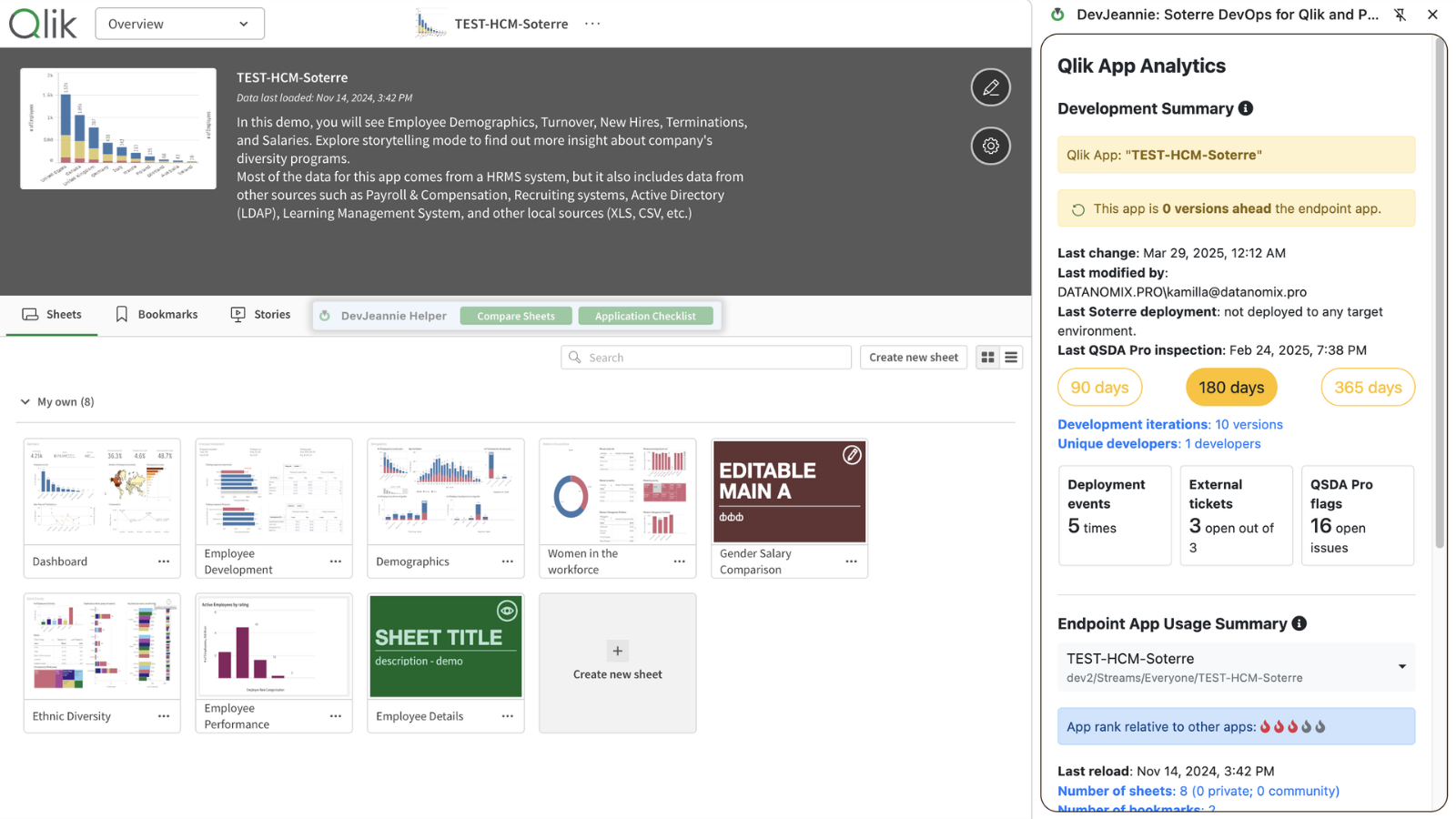
Exposes QSDA Pro inspection results right in your Qlik Sense interface through the Soterre DevOps Analytics browser plug-in. This capability is only available with a proper QSDA license, bought separately.
Displays the calculation time for each Qlik chart directly within a Qlik sheet. This capability is only available with a proper QSDA license, bought separately
Integrates with various AI providers to enhance and augment your development experience. (Includes creating descriptions, definitions, and user instructions.)
Extends the Qlik interface with enhanced metadata, search, and customizable checklists; supported of Google Chrome and Microsoft Edge.
Designed to enable end-to-end search across the metadata in any connected BI environment.
Offers an organized display of all QVD files generated or referenced by a specific Qlik application.
Provides Analytics over Analytics and displays an overview of the development lifecycle and usage patterns of your analytics.
Brings best practices right into the Qlik interface to help ensure compliance to the highest standards of performance before releasing analytics to production.
A handy function for you to set sheet covers in a quick and neat manner
Shows the full sequence and dependencies of your Qlik reload tasks, making it easy to see which tasks must complete successfully before the current application can reload.
Helps detect unused, erroneous, and duplicated master items.
Allows version comparison in a side-by-side view and supports merging and rollback per visual capabilities
Delivers a clean, side-by-side comparison of load scripts and allows you to merge changes with ease.
Reporting engine on the complete Qlik lifecycle, offering analytics over analytics, lifecycle KPIs, and identifying quality issues, inconsistencies, and adoption issues. AAM continuously monitors creations and changes to keep environments governed.
Identifies unused, redundant, or outdated analytics apps and sheets to reduce clutter and cut BI waste, while continuously monitoring new creations to keep environments clean and healthy.
Automatically captures key properties of Qlik apps, providing the artifact details needed to accurately classify and score their complexity.
An automated engine that evaluates the characteristics of each Qlik app using a configurable scoring framework to classifies quality, complexity, volatility usage, and other key aspects that are critical in managing the Qlik environment
A set of visuals that transforms Qlik metadata into actionable project intelligence, giving project managers the visibility needed to assess risks, size project scope, estimate effort, and draw up a project plan
Providing a dataset to build visualizations that support the BICC in managing the Qlik environment to keep it robust and manageble.
An interactive, in-app walkthrough that explains your Qlik apps with step-by-step guidance, tooltips, and AI-generated descriptions, saving developers time and boosting user adoption and understanding
Soterre is offered in two licensing models: Capacity and Per-User. Soterre licenses should follow the same licensing structure as your Qlik plan. For Capacity licensing, 50GB is included. If your Qlik plan exceeds 50GB, additional capacity must be purchased to match the total GB in your Qlik plan. For Per-User licensing, 10 Soterre User Licenses are included. If your Qlik plan exceeds 10 Soterre users, additional Soterre licenses must be purchased to match your Qlik plan. The three tiers for the license model are listed below.
DevOps Essential: Gives teams basic control over their DevOps configuration.
DevOps Prime: Gives teams broad control over their DevOps processes.
DevOps Enterprise: Gives teams full control over all aspects of their Qlik implementation.